(Live) Portable operating system
Now, you Can make your Operating system handy And take it wherever You want Insert It in your friend's computer and make them surprise that you changed their computer OS.
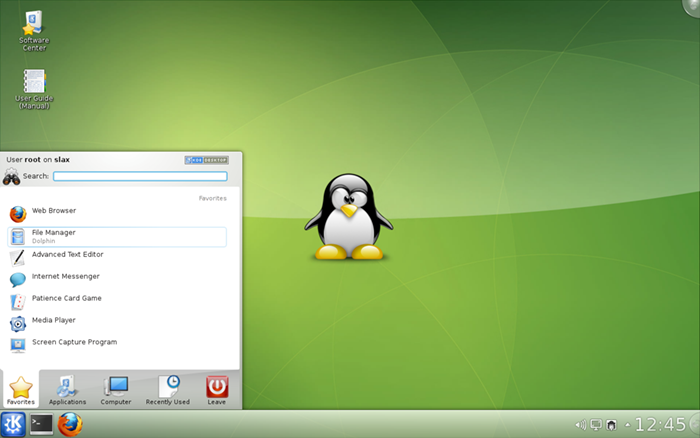 Just follow the steps So that you own a Live operating system : -
1) Open this link in a new Tab.
2) Link :"http://www.slax.org/download/7.0.5/slax-English-UK-7.0.5-i486.iso"
3)Save the .iso file.
4)Now , you Just need a .iso writer.
5)Download it from Here:"https://sites.google.com/site/1k2kk785/home/downloads-by-khushroo/FreeISOBurner.rar?attredirects=0&d=1 "
6) You Are done After this
 7)Now you to burn these file to a 700mb disc.
8) After you have burnt this Cd
9)Restart your computer and boot from this Cd.
10) Now , you have your own portable operating system.
If you Didn't understand any thing please leave a comment :)
thank u.:)
Now, you Can make your Operating system handy And take it wherever You want Insert It in your friend's computer and make them surprise that you changed their computer OS.
Just follow the steps So that you own a Live operating system : -1) Open this link in a new Tab.
2) Link :"http://www.slax.org/download/7.0.5/slax-English-UK-7.0.5-i486.iso"
3)Save the .iso file.
4)Now , you Just need a .iso writer.
5)Download it from Here:"https://sites.google.com/site/1k2kk785/home/downloads-by-khushroo/FreeISOBurner.rar?attredirects=0&d=1 "
6) You Are done After this
7)Now you to burn these file to a 700mb disc.8) After you have burnt this Cd
9)Restart your computer and boot from this Cd.
10) Now , you have your own portable operating system.
If you Didn't understand any thing please leave a comment :)
thank u.:)


